10.4. System
This menu is where you will adjust the H9’s System settings. It also displays your H9’s serial number and software version.
- General Settings:
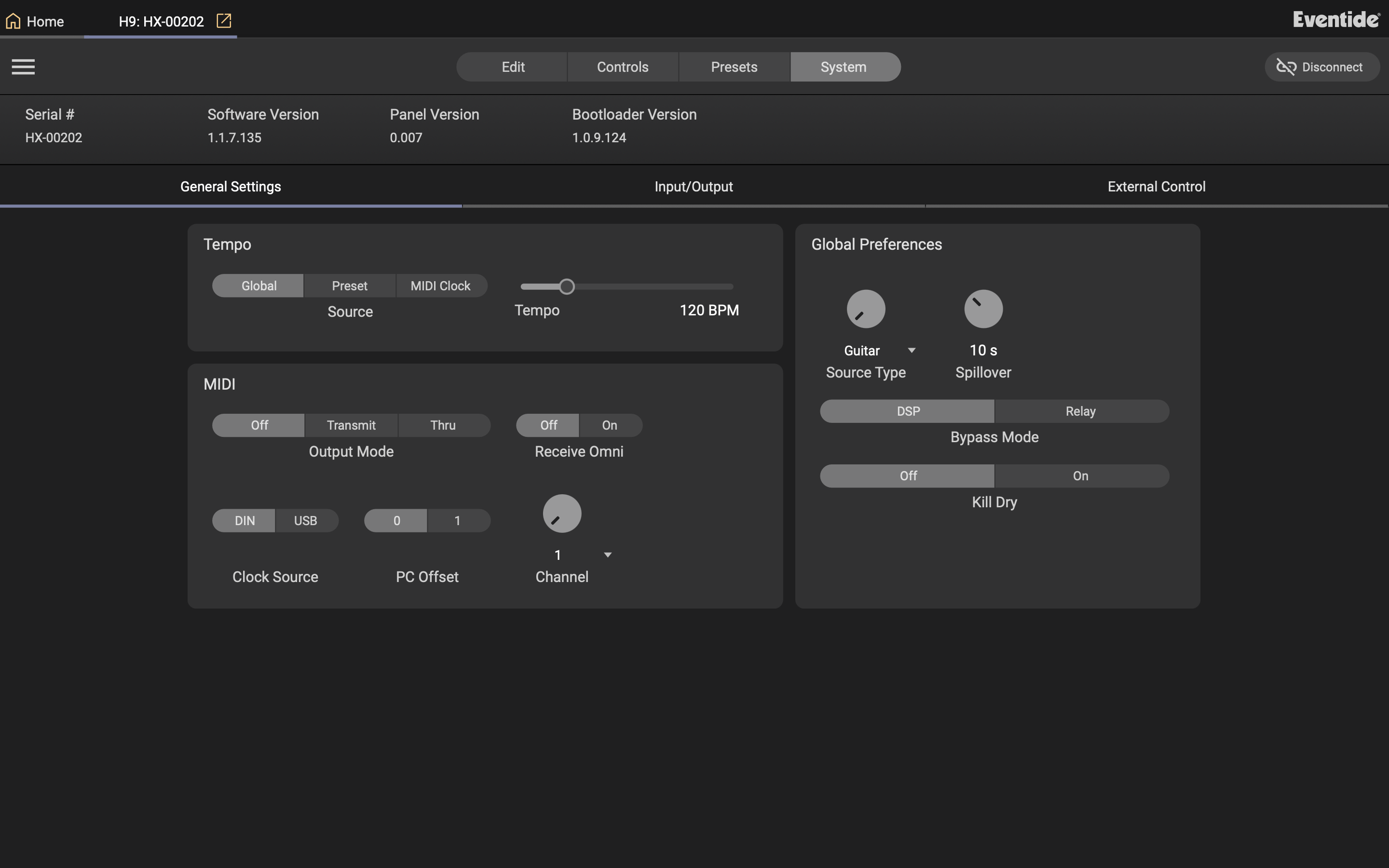
Fig. 10.13 General Settings menu.
- Input/Output:
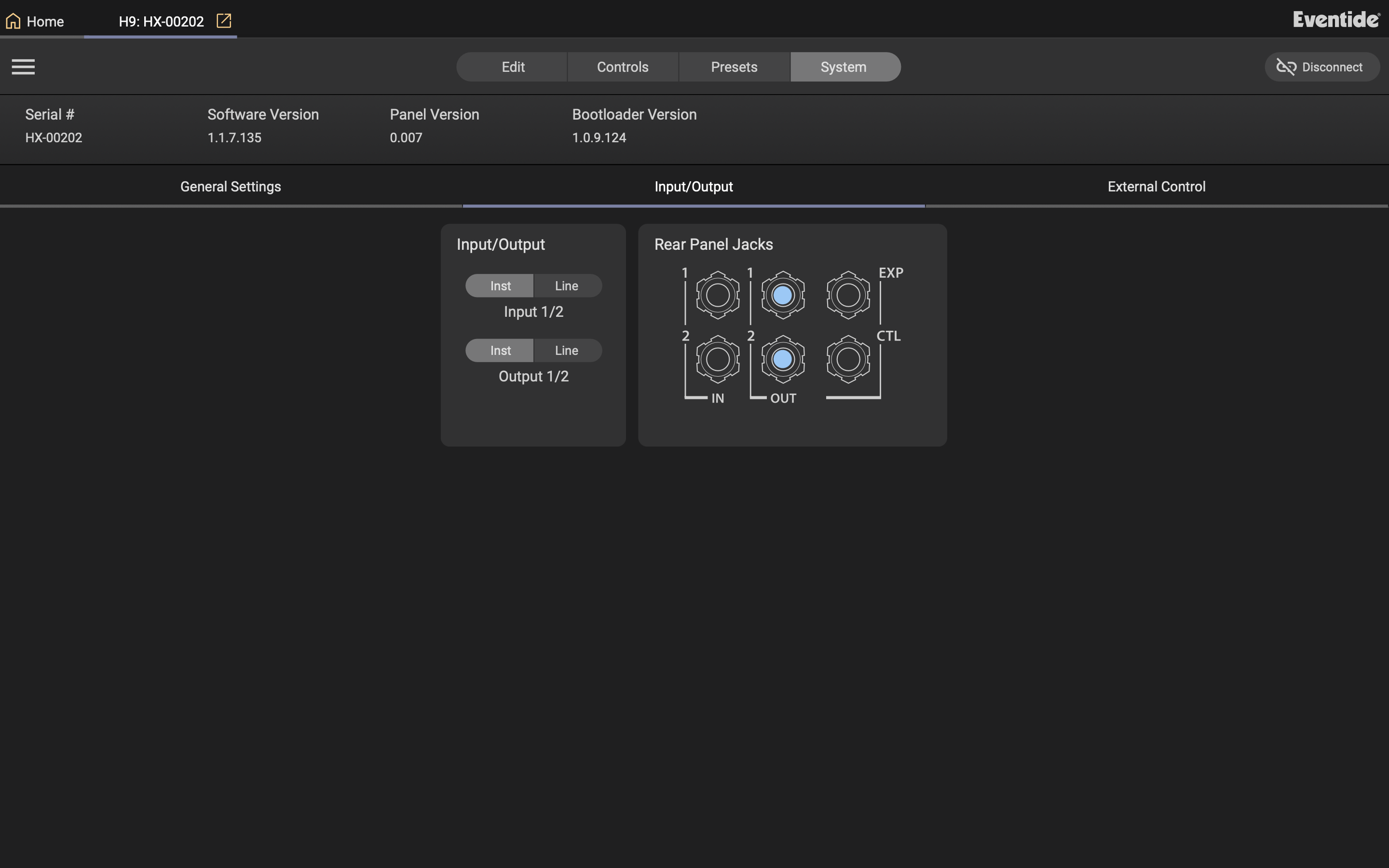
Fig. 10.14 Input/Output Settings menu.
Set the Input/Output levels of the H9 from instrument to line level.
The Rear Panel Jack icons will be highlighted when a cable is connected to the respective jack.
- Global Control:
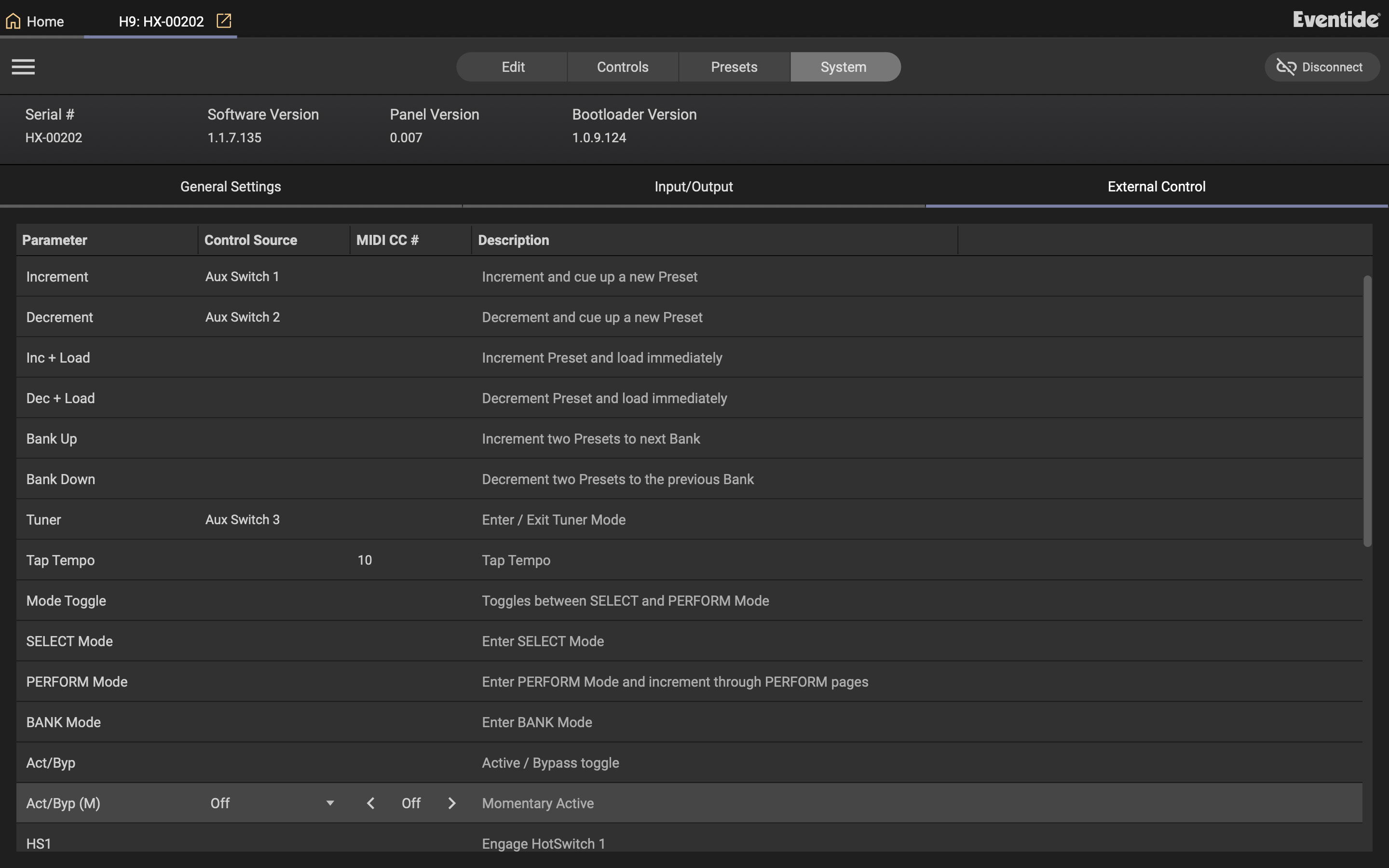
Fig. 10.15 External Control menu.
Set the Global Pedal Controls to use either aux switches, expression pedals or MIDI CCs. View the Global Mapping Chart for a full list of the available options.