3.2. Vocals with MixingLink
Using the Eventide MixingLink, you can easily amplify a microphone signal to process acoustic instruments or vocals using Eventide’s Harmonizer+ technology.
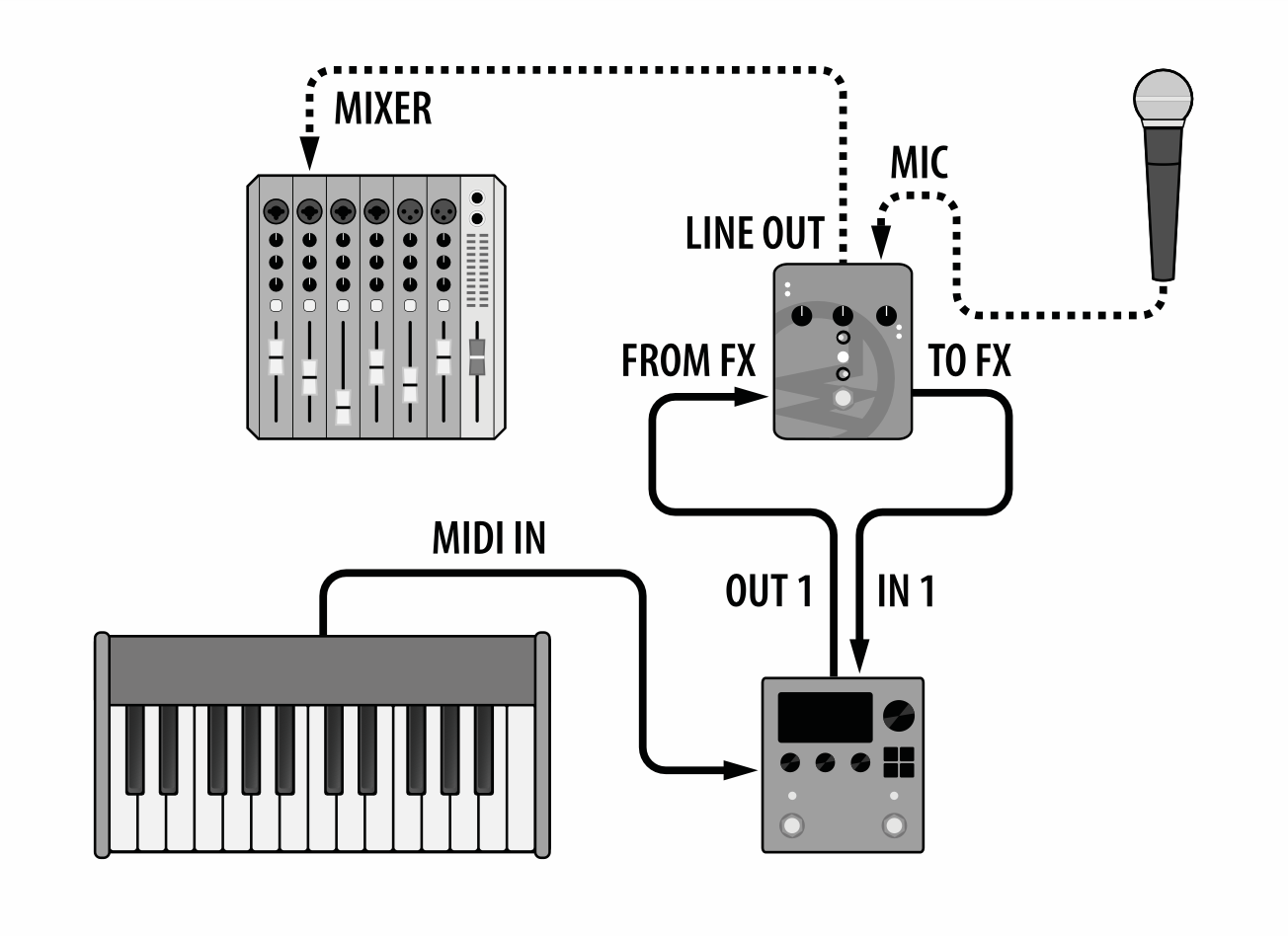
Fig. 3.3 Vocals with MixingLink.
Connect your microphone to the MixingLink mic input.
Connect MixingLink Line Output to a monitor input, such as a mixing console.
Connect MixingLink ‘To FX’ Output to H9 Input 1.
Connect H9 Output 1 to MixingLink ‘From FX’ Input.
Use Select Mode to load a Harmonizer+ Preset for vocal harmonies and pitch correction.
Tip
Bank 90-99 in the default User 1 List contains a curated selection of Harmonizer+ Presets for vocals.
3.2.1. Harmonizing with MIDI keyboard
Using the VocalShiftMIDI algorithm, you can use a MIDI keyboard or sequencer to create harmonies with your voice in real time.
Follow the instructions above for the MixingLink vocal preamp setup.
Connect the MIDI output of a MIDI keyboard or sequencer to the MIDI input of the H9.
Check the System Menu to confirm the H9 and your MIDI device are both set to the same MIDI channel.
Use Select Mode to load Preset 99, VocalShiftMIDI, from the default User 1 List.
Play MIDI notes while you sing and hear the harmonies change in real time.