3.3. Wet/Dry
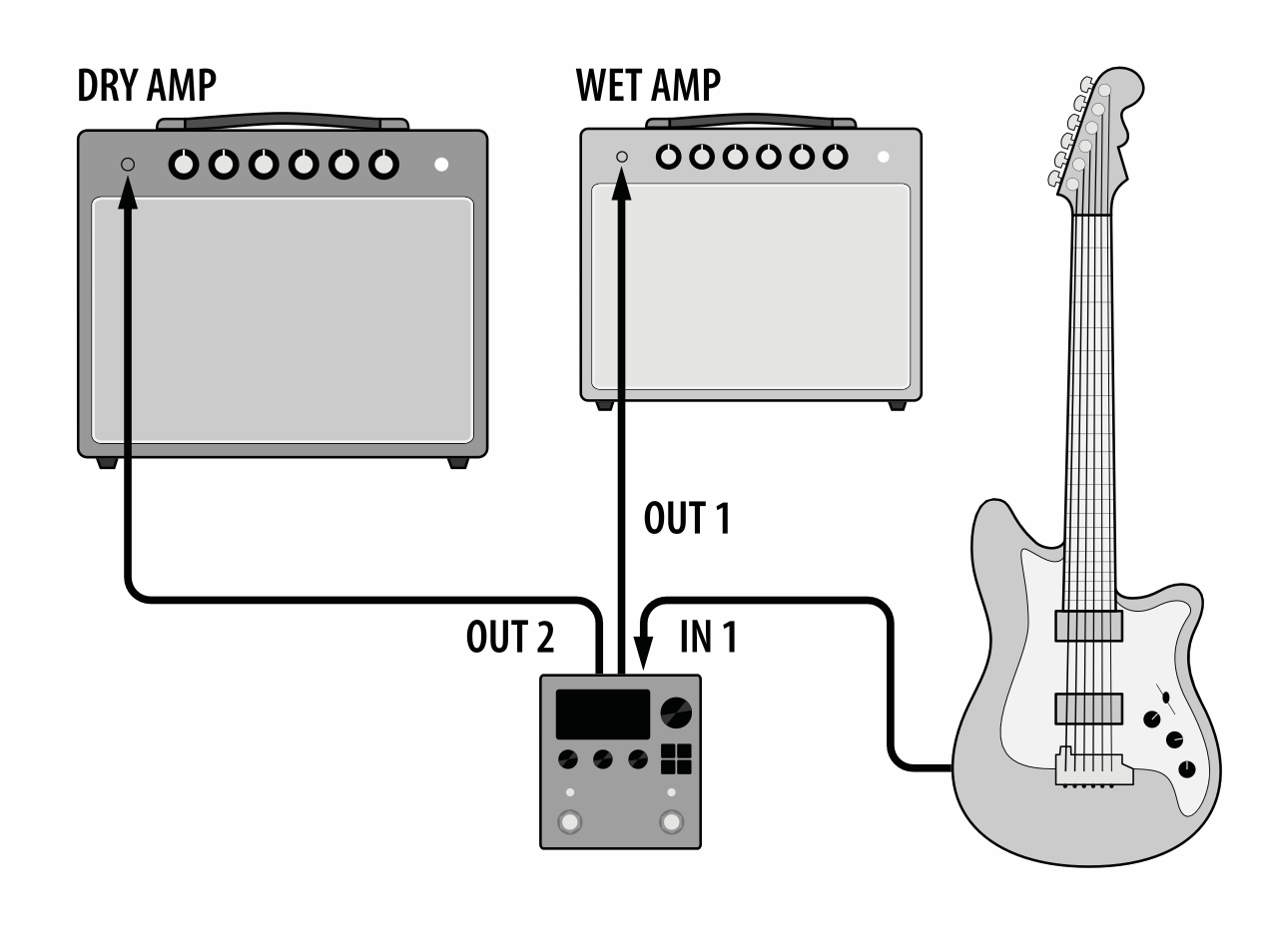
Fig. 3.4 Wet/Dry guitar amp configuration.
A Wet/Dry setup allows you to use two amplifiers and place different types of effects in either amplifier. Typically, the “Dry” amplifier would be used for distortion, EQ, and compression effects, while the “Wet” amplifier would be used for time-based effects, such as modulation, delay, and reverb.
Wet/Dry Mode allows you to output the the H9’s effects to the Wet amplifier, while also outputting and unprocessed signal to the Dry amplifier.
Set your H9’s Global Routing Configuration to use Wet/Dry from the System Menu.
Connect your guitar into H9 Input 1.
Connect H9 Output 1 into the “Wet” amplifier’s input.
Connect H9 Output 2 into the “Dry” amplifier’s input.
Use Select Mode and Load a Preset to be used for the Wet amplifier, such as the SP2016 Reverb Algorithm.
Press the Parameters Button and turn the Big Knob until you locate the Routing Parameter in the General Parameters. Set this parameter to “Wet 1/Dry 2”, and save the Preset.
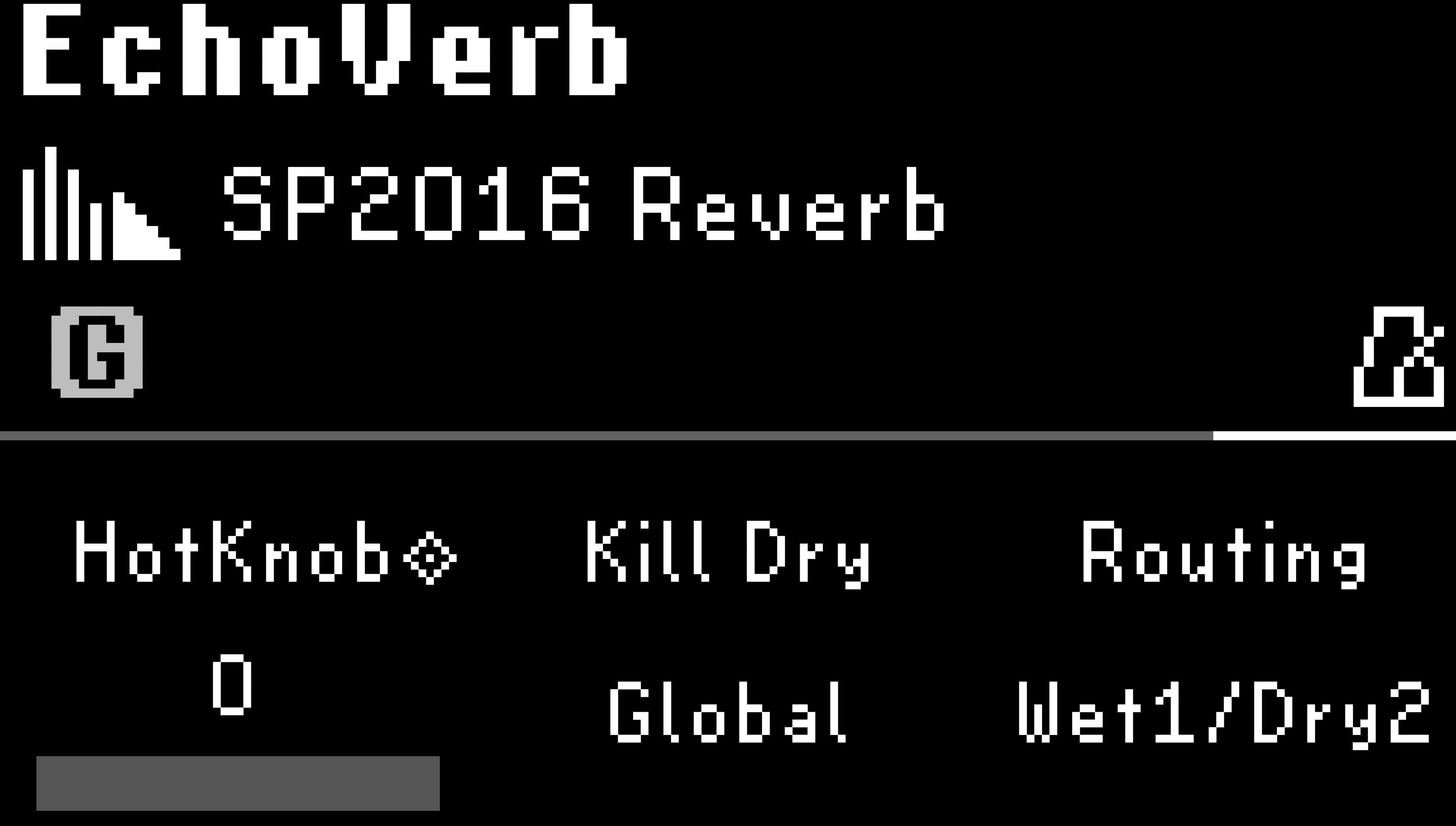
Fig. 3.5 The SP2016 Reverb Preset is output to the Wet amplifier.
When you load this Preset, effected signal will be output to the Wet amplifier, and the unprocessed signal will be output to the Dry amplifier.
Tip
Turn Kill Dry on to remove your dry signal from the Wet amplifier’s signal path